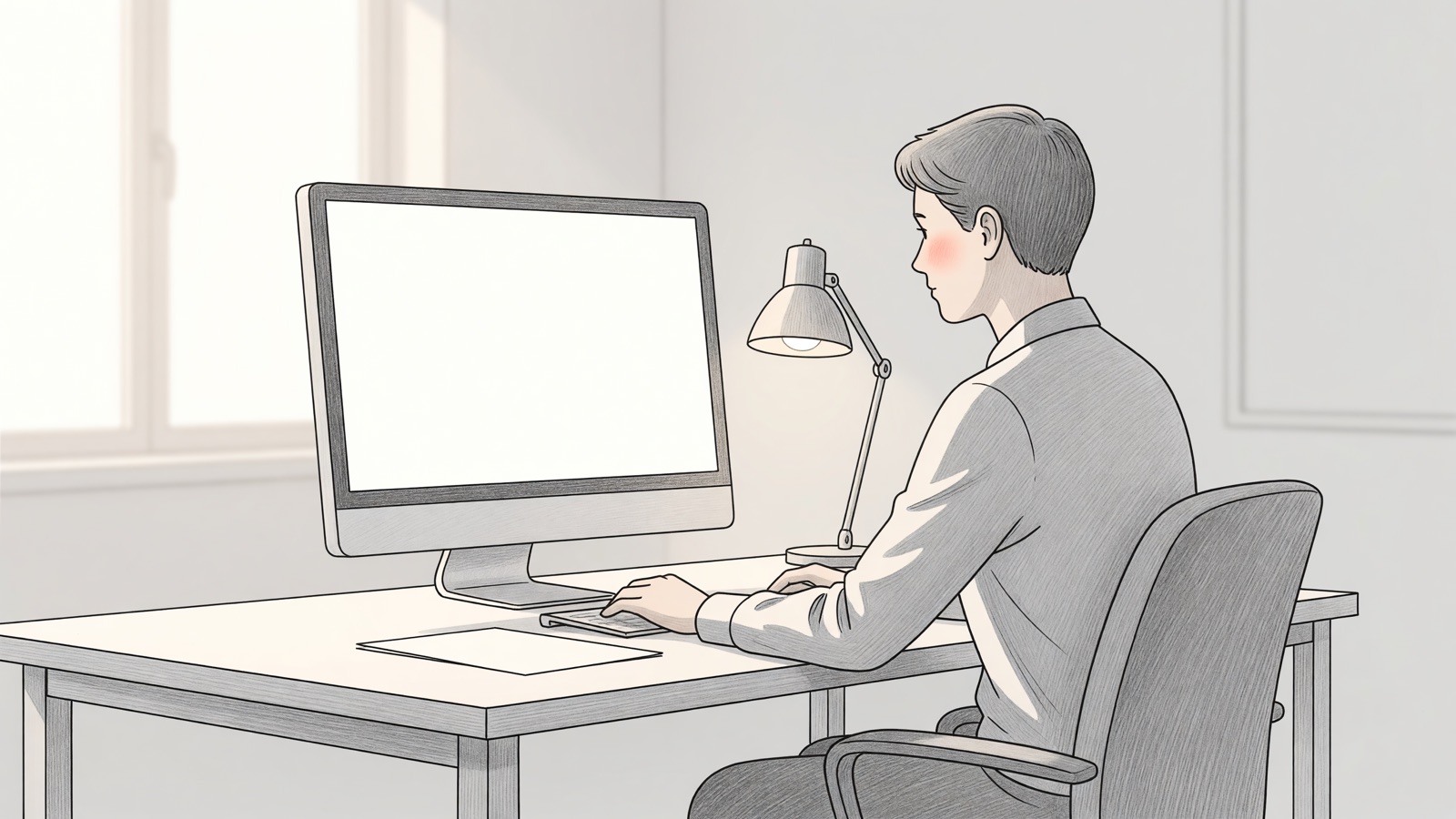
Turn the screen down until it matches the room, sit about an arm’s length away, and drop the top of the panel just below eye level. Those changes beat blue-light glasses for most people. Blink on purpose, look across the room every 20 minutes, and enlarge the text instead of leaning in.
Tuesday at 3 p.m. looks the same in a lot of rooms. A 27-inch panel is still at factory brightness. The laptop is flat on the table, so you look down at the hinge. Outlook is 11-point type. You inch the chair forward until your nose is in the heat of the backlight, then wonder why the sockets around your eyes feel sandy.
That is not a mystery disease. The American Optometric Association says the average American worker spends seven hours a day on a computer, and people who sit two continuous hours at a screen are the ones most likely to feel it. The Academy of Ophthalmology is blunt about the mechanism: you blink less, the tear film thins, and the focusing muscle stays clenched on a target that never moves.
How far should my monitor sit if my eyes hurt by 3 p.m.?
Sit about an arm’s length from the glass, around 25 inches, and stop creeping forward when 11-point type gets small. The American Academy of Ophthalmology uses that arm’s-length figure. OSHA gives a wider band, 20 to 40 inches, because chairs and desks are not one size.
I keep the AAO sentence on a sticky note on the bezel: “When using a computer, you should be sitting about 25 inches (right about at arm’s length) from the screen.” OSHA is looser on purpose. “Generally, the preferred viewing distance is between 20 and 40 inches (50 and 100 cm) from the eye to the front surface of the computer screen.” If you cannot read the text at 25 inches, the font is too small. Zoom the document. Do not drag the monitor onto your keyboard tray.
A kitchen-table laptop is the usual failure. The screen sits 14 inches from your face because the keyboard is attached to it. You get the focusing load of a paperback plus the dryness of a heater. Put the notebook on a stand or a stack of books, plug in a cheap USB keyboard, and the distance problem often disappears without a new display.
AOA’s 16 to 30 inch band includes phones and small laptops at the short end. On a desk, start at arm’s length.
| Source | Distance they publish | Height they publish |
|---|---|---|
| AAO | About 25 inches, arm’s length | Gaze slightly downward |
| OSHA | 20 to 40 inches (50 to 100 cm) | Top at or slightly below eye level; center 15 to 20 degrees down |
| AOA | 16 to 30 inches | Top slightly below horizontal eye level; 10 to 20 degree tilt |
Numbers that disagree by a few inches are not a scandal. Bodies differ. The shared instruction is: you should read the whole screen without leaning, without tipping your chin up, and without squinting.
What brightness should I set on a monitor for a normal office?
Match the screen to the room, not to the store demo. EIZO tells office users that a typical 300 to 500 lux room wants about 100 to 150 cd/m2. You do not need a meter. Hold a sheet of copy paper next to a blank white page on the screen and turn the backlight until they look similar.
The manufacturer’s sentence is specific: “For example, in an office with normal brightness of 300-500 lux, the display brightness should be adjusted to around 100-150 cd/m2.” Then they give the paper test, because almost nobody knows what a candela per square meter feels like. If the screen looks like a lamp next to the paper, it is too bright. If the paper looks like a light box and the screen looks gray, turn the backlight up.
Factory settings are the other trap. A new monitor often ships near its peak nits so it wins on a brightly lit shelf. That same peak in a spare bedroom at 9 p.m. is a flashlight in the face. Recheck after lunch, when the sun has moved, and again after you close the blinds. Auto-brightness on a laptop can do this; many desktop panels will not unless they have an ambient sensor.
Contrast is the second slider people skip. AAO says to raise it if the screen still feels like work. I leave it high enough that black text on a white page does not smear, then stop. Dark mode is a taste choice. I have not seen a medical body say it replaces blinking or distance.
Glare is brightness you did not choose. OSHA wants the monitor perpendicular to the window, not facing it and not backing onto it. A window behind you puts your face in silhouette and a rectangle of sky on the glass. A window in front of you fights the backlight. Side light plus a slightly tilted screen is the boring layout that actually works. Wipe the panel. Dust turns every overhead tube into a veil.
Does the 20-20-20 rule reduce eye strain on a monitor?
Yes as a reminder to stop staring, not as a magic interval. The AOA 20-20-20 rule is: every 20 minutes, look at something 20 feet away for 20 seconds. AAO gives the same cadence. Looking at your phone does not count. The phone is still a near target.
AOA’s wording is the one clinics hand out: “To help alleviate digital eyestrain, follow the 20-20-20 rule; take a 20-second break to view something 20 feet away every 20 minutes.” AAO adds the blink problem in the same breath. “Humans normally blink about 15 times in one minute. However, studies show that we only blink about 5 to 7 times in a minute while using computers and other digital screen devices.”
I treat the rule as a timer, not as proof that 20 is the sacred number. A 2022 write-up of a Contact Lens and Anterior Eye trial found that software reminders cut dry-eye and strain scores while they were on, then the gain faded a week after the pop-ups stopped. Signs on the eye surface did not neatly follow the symptom scores. That is a useful result. The break helps if you take it. It does not rebuild a tear film you ignored for ten years.
The practical version at a desk is ugly and it works. A calendar across the room. A plant on the far bookcase. A 20-minute chime you will not snooze. Stand up if you can. AAO also tells people to use artificial tears when the surface feels dry, and to try a humidifier in a heated room. I would rather blink on a sticky note than buy another pair of amber glasses.
| Habit | What it is supposed to do | What people actually do |
|---|---|---|
| 20-20-20 | Relax focus; restore a few full blinks | Skip it, or check a phone |
| Conscious blinks | Replace the missing 8 to 10 blinks a minute | Stare until the eyes burn, then rub |
| 15-minute break each 2 hours (AOA) | Longer rest from near work | Eat lunch in front of the same panel |
If you wear contacts, AAO’s extra advice is to switch to glasses for a stretch of heavy screen work. The lens sits on a drier eye. Glasses do not.
Do blue light glasses fix monitor eye strain?
Usually no. AAO does not recommend special blue-light glasses for computer use, because the discomfort is mostly how long you stare and how little you blink, not a unique poison in the pixels. Night Light on Windows is for evening sleep, not for a 2 p.m. spreadsheet.
I wish Amazon listings printed the Academy’s sentence. “There is no scientific evidence that the light coming from computer screens is damaging to the eyes.” On a separate page they add, “But there is no scientific evidence that blue light from digital devices causes damage to your eye.” They still tell people to take 20-20-20 breaks, sit at arm’s length, and use tears if the surface is dry.
Prescription computer glasses are a different object. Those are lenses focused at monitor distance, about 20 to 26 inches, sometimes with a mid-range add if you are over 40. AAO says they are not the same as blue-blockers. If your progressive lenses make you tip your head back to find the right zone, that is an optics problem. OSHA’s bifocal note is the same idea: drop the monitor so you are not staring through the reading segment with your chin in the air.
Windows Night light is honest about its job. “Your display emits blue light—the kind of light you see during the day—which can keep you up at night.” Warm the panel after dinner if sleep is the issue. Leave it off at noon if the yellow cast makes Excel look wrong. EIZO’s own lab note is that dropping a typical 6,500 to 7,000K white point to 5,000K cuts the 400-500 nm band by about 20 percent, and matching brightness can take the total cut higher. That is a manufacturer measurement on their panels, not a reason to buy a $40 filter insert.
Keep glasses you already like. Do not skip distance and blinks because a coating promised to do the work.
Should I raise or lower the monitor if my eyes feel dry?
Lower it a little. A high screen opens the lids wider, and that extra air dries the surface faster. OSHA wants the top of the monitor at or slightly below eye level, with the center 15 to 20 degrees down. Looking up at a panel on a PC tower is a cheap way to finish the day with grit.
OSHA’s sentence is the one I use when someone has stacked the display on a docking station and a pair of speakers. “The top of the monitor should be at or slightly below eye level. The center of the computer monitor should normally be located 15 to 20 degrees below horizontal eye level.” AAO says the same thing in fewer words: gaze slightly downward, not straight ahead or up.
The laptop-on-the-sofa version is the opposite error. The screen is in your lap, so you crane down, then you raise your shoulders to type. Dryness and a neck ache arrive together. Raise the screen, drop the keyboard. If you wear bifocals, OSHA says go even lower than the usual advice so you are not tipping backward to find the near segment.
Airflow is the setting nobody opens. A desk fan or a ceiling vent aimed at your face strips tears while you read. Move the chair or redirect the vane. A humidifier in a winter office is boring and it helps more than another software theme.
If the letters stay fuzzy after you have fixed distance, height, and brightness, get the eyes checked. AOA notes that an old glasses prescription, a bit of astigmatism, or the near-focus change that starts in the 40s can make a normal monitor feel impossible. The panel is not always the broken part.
Frequently asked questions about monitor eye strain
Does a 144 Hz gaming monitor reduce eye strain compared with 60 Hz?
Maybe for people who notice flicker, not as a guaranteed upgrade. Some vision sites suggest 70 Hz and up because older backlights used pulse-width dimming you could sense. I have not seen a large office trial that says 144 Hz beats 60 Hz for Word and Chrome. Buy high refresh if you game. For mail, fix brightness and distance first.
Should I run dark mode all day to rest my eyes?
Not as a default treatment. Dark text on a light page is still how most documents are written, and AAO talks about matching brightness and raising contrast, not about inverting the desktop. Dark mode at night can feel easier in a dim room. If you need it to hide a screen that is still too bright, turn the backlight down instead.
Can monitor eye strain permanently damage my eyes?
AAO says the usual digital strain is uncomfortable, not a proven path to lasting injury from the light itself. Blur, dryness, and a headache that fade after you walk away fit that picture. Pain, sudden vision change, light sensitivity, or a feeling that something is stuck in the eye is a different list. That is an exam, not another slider.
Do I need a new “eye care” monitor, or will settings on this one do?
Settings first. Distance, height, brightness matched to paper, breaks, and blinks are the controls every panel already has. A sensor that auto-dims, a matte coating, or a low-flicker backlight can help if you already did the cheap work. I would not buy a new display to skip sitting an arm’s length away.